Record every session
Capture supported F1 telemetry and save your sessions for later analysis. Keep your driving data together on your Windows PC.
 SHARKKINGRACING STUDIOMy account
 01 / SRS FOR THE DRIVER
Turn your F1 sessions into something you can learn from. See your inputs, review your laps and bring live telemetry to your rig.
Windows PC · SRS account and activation key required · 14-day testing access
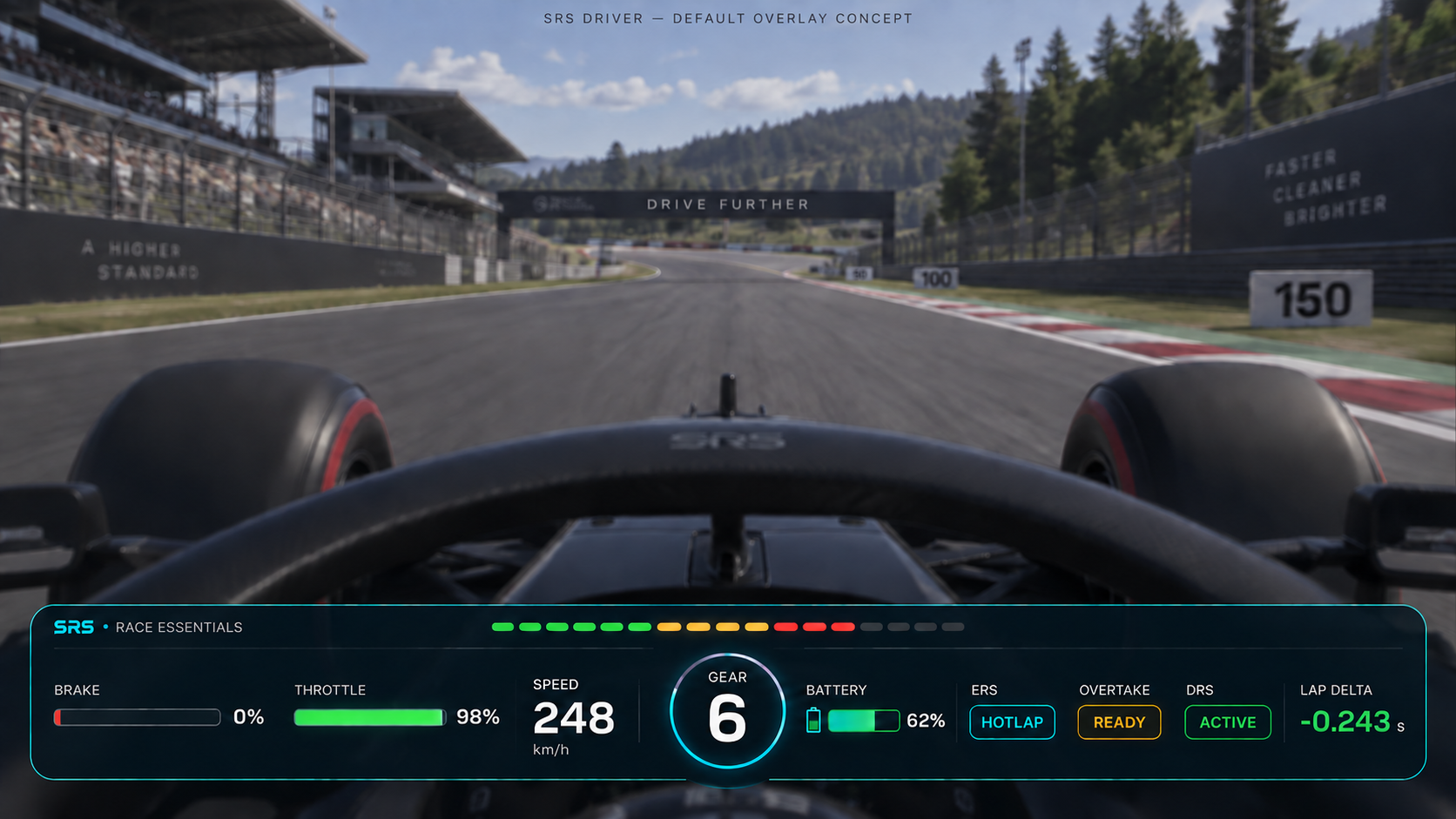
RACE ESSENTIALS
The default Driver overlay brings together speed, gear, shift lights, brake and throttle inputs, battery charge, ERS mode, overtake, DRS and lap delta. Move and resize individual widgets in Overlay customisation.
BEHIND EVERY LAP
See the inputs that shaped your session, both while you drive and when you return to your recordings.
Capture supported F1 telemetry and save your sessions for later analysis. Keep your driving data together on your Windows PC.
Review braking, throttle and steering. Compare laps to understand what you did differently through each corner.
Use an in-game overlay or a compatible external dashboard for live car information. Test mode helps you position the display before driving.
Add brake-lock and wheel-slip feedback with supported SimNet SP Pro pedal haptics. Haptics are optional; a controller or wheel is all you need to drive.
GET STARTED
Sign up and verify your email. Complete your driver name, country and controller details to finish registration.
Download SRS Driver from the Microsoft Store. You can install before completing your SRS account.
Once your email is verified and your profile is complete, your one-time trial key is emailed automatically. Paste it into the app to begin 14 days on one computer. The trial cannot be restarted.
COMPATIBILITY
64-bit Windows. Internet is required for activation and licence checks. Offline use is limited to 24 hours after successful validation, within your trial.
F1 2025 / 2026 UDP formats. For a console or another gaming PC, send telemetry to the local network address of the PC running SRS.
Drive with a gamepad, steering wheel or keyboard. Input analysis uses the values reported by the game. Gamepad vibration is not currently supported.
Native haptics support SimNet SP Pro pedals. A dedicated external SRS Dash is available as an optional accessory. Hardware is separate.
Request another device →Available from the Microsoft Store for Windows PCs. An SRS account and active licence are required. Testing access currently lasts 14 days from first activation. Video recording is not included.
YOUR NEXT SESSION STARTS HERE