Race graphics with context
Turn available session data into race and performance graphics. Show position changes and the story behind the finishing order. Use authoritative results for official standings.
 SHARKKINGRACING STUDIOMy account
 02 / SRS FOR BROADCASTERS
Race graphics, live overlays and recording workflows for the people behind the coverage. Built for leagues, broadcasters and sim racing creators.
Talk to SRS ↗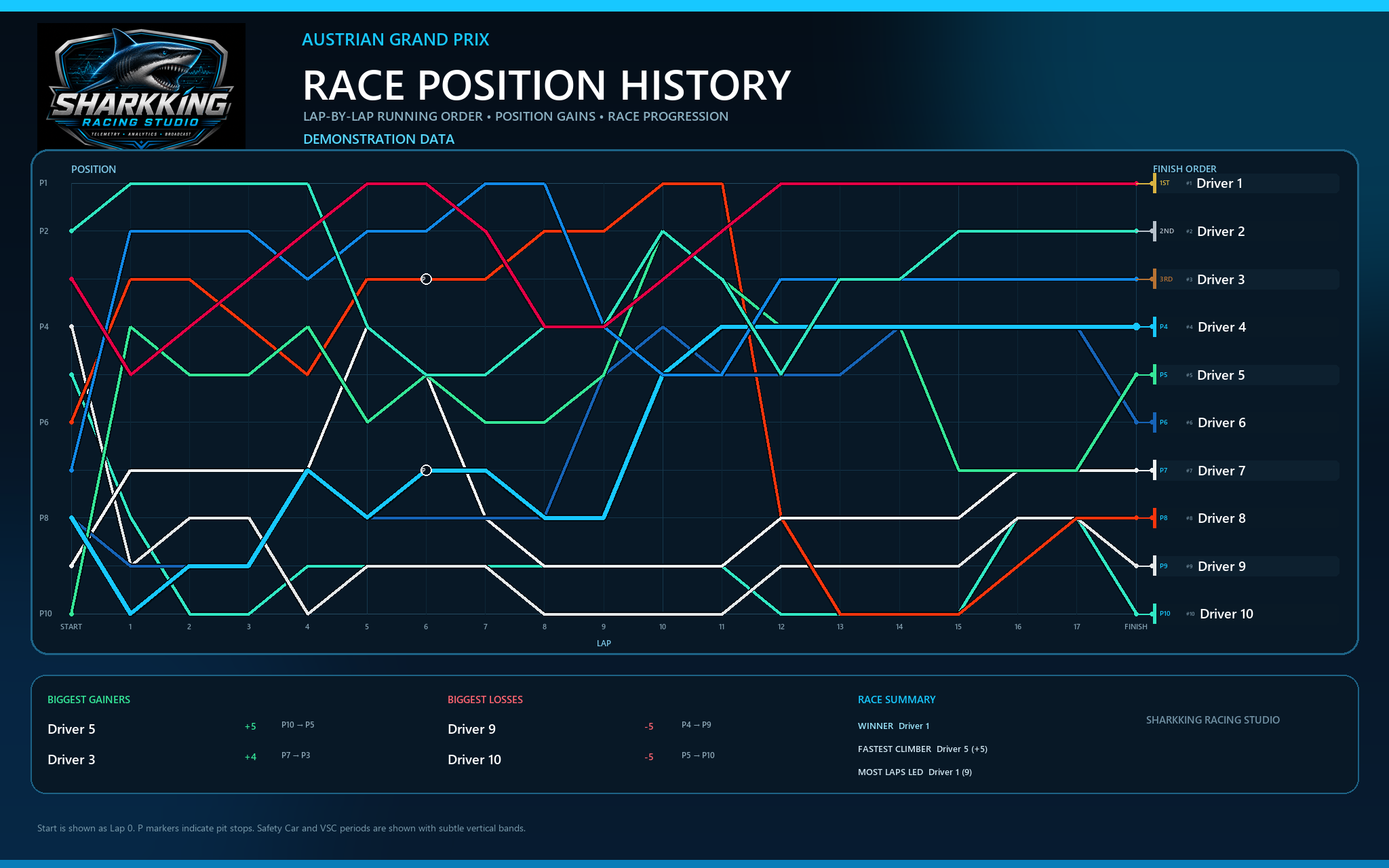
FROM SESSION TO SCREEN
Bring your telemetry, event graphics and OBS workflow together, with you in control of what goes on air.
Turn available session data into race and performance graphics. Show position changes and the story behind the finishing order. Use authoritative results for official standings.
Bring SRS graphics into OBS as a local browser source. Configure your event branding and display the information your viewers need.
Control OBS recording, save replay-buffer clips and mark incidents. Organise your footage and prepare text for manual YouTube uploads.
YOUR BROADCAST WORKFLOW
Use supported F1 UDP data on a Windows PC. Check the feed before your coverage begins.
OBS Studio 28 or later handles encoding, streaming and capture. Configure WebSocket, your scenes, audio and replay buffer.
Bring in SRS overlays, manage recordings and export graphics that help explain the race.
BROADCASTER ACCESS
Broadcaster distribution and pricing are being prepared. Contact SRS about your event and workflow. The current Driver download does not include these broadcast tools.
Experimental replay workflows require matching telemetry and a prepared F1 replay. Available camera views depend on the game.
Experimental incident capture requires calibration and verified spectator controls. Designed for spectating, not driving.
LET’S TALK RACE COVERAGE